Watts & mA
Live Charging Speed in Watts
Track real-time current (mA), voltage (V), and battery wattage across Normal, Fast, and Turbo phases — including Dual-Cell phone support.
28.4 W · Turbo4.32 VDual-Cell Ready
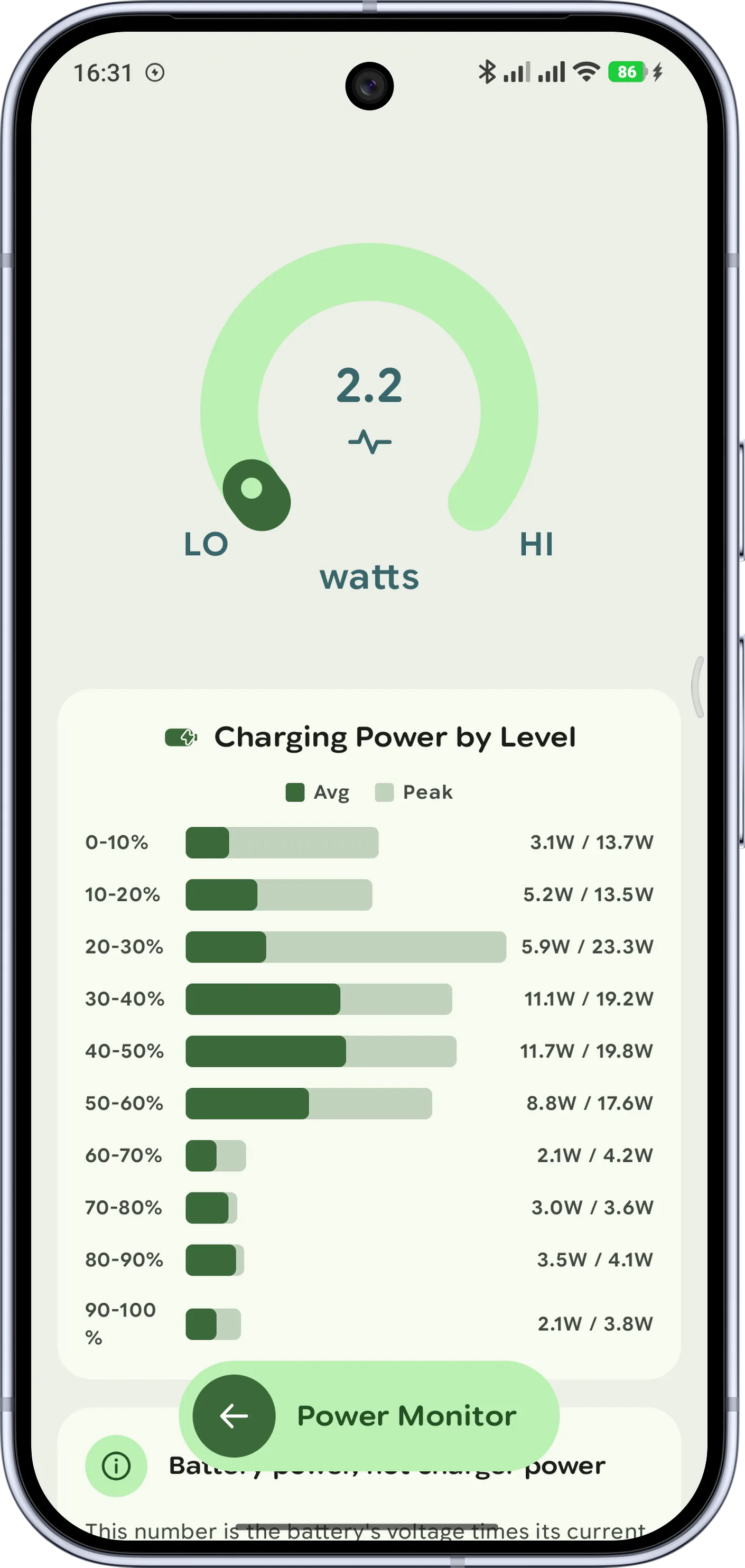
Everything about your Android battery in one expressive screen — real-time watts, cycle count, wear-saving charge alarm, Bluetooth device levels, and 17+ customizable home screen widgets.
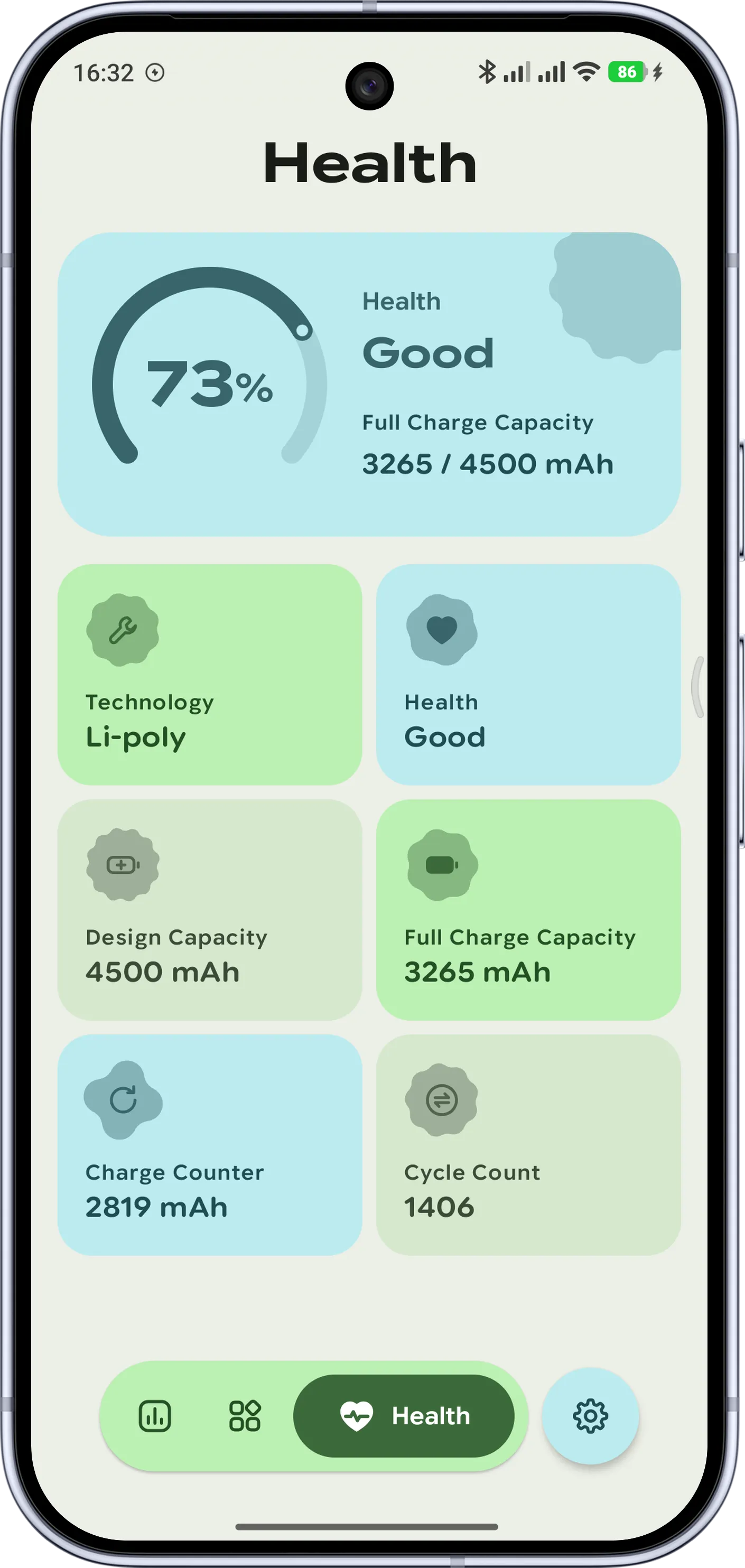
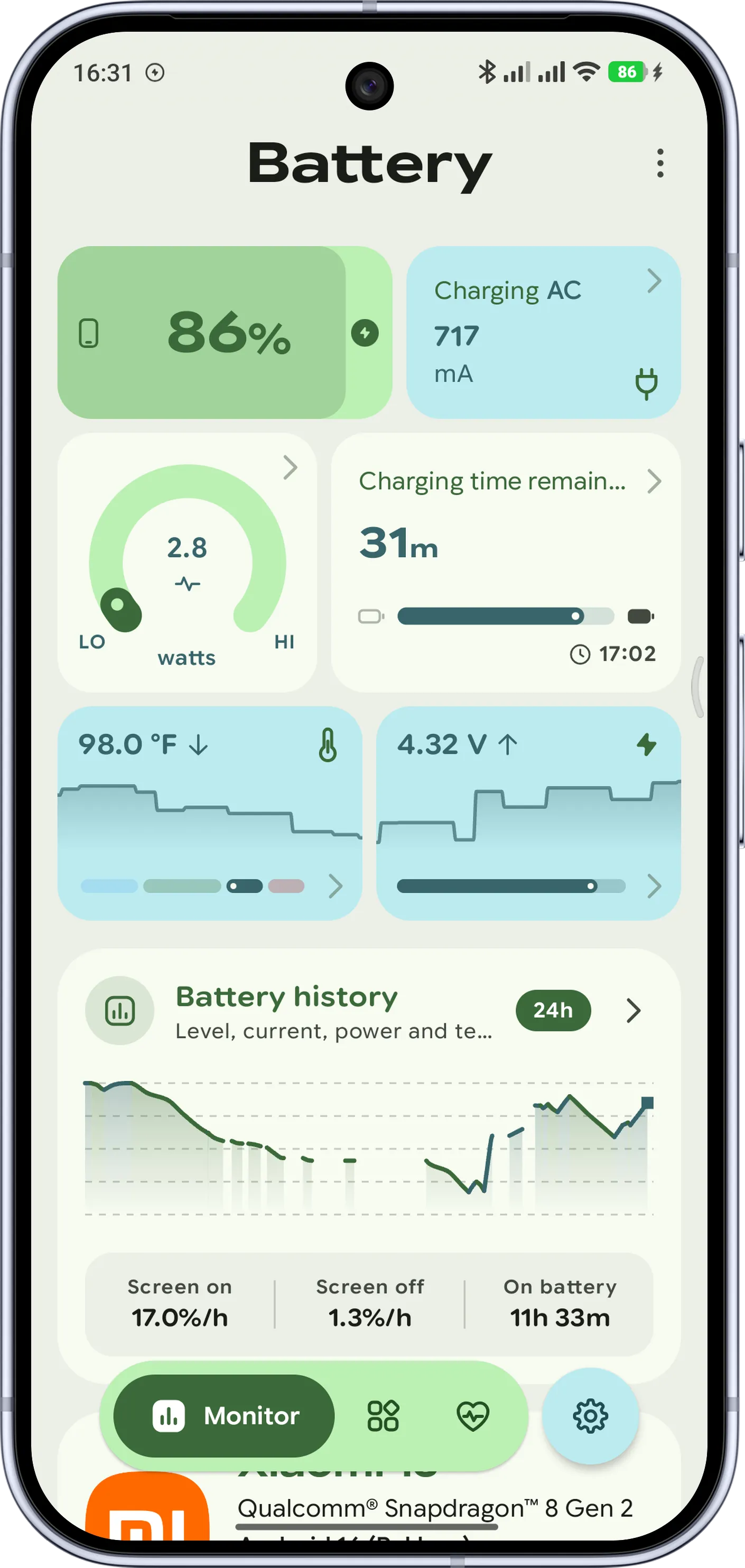
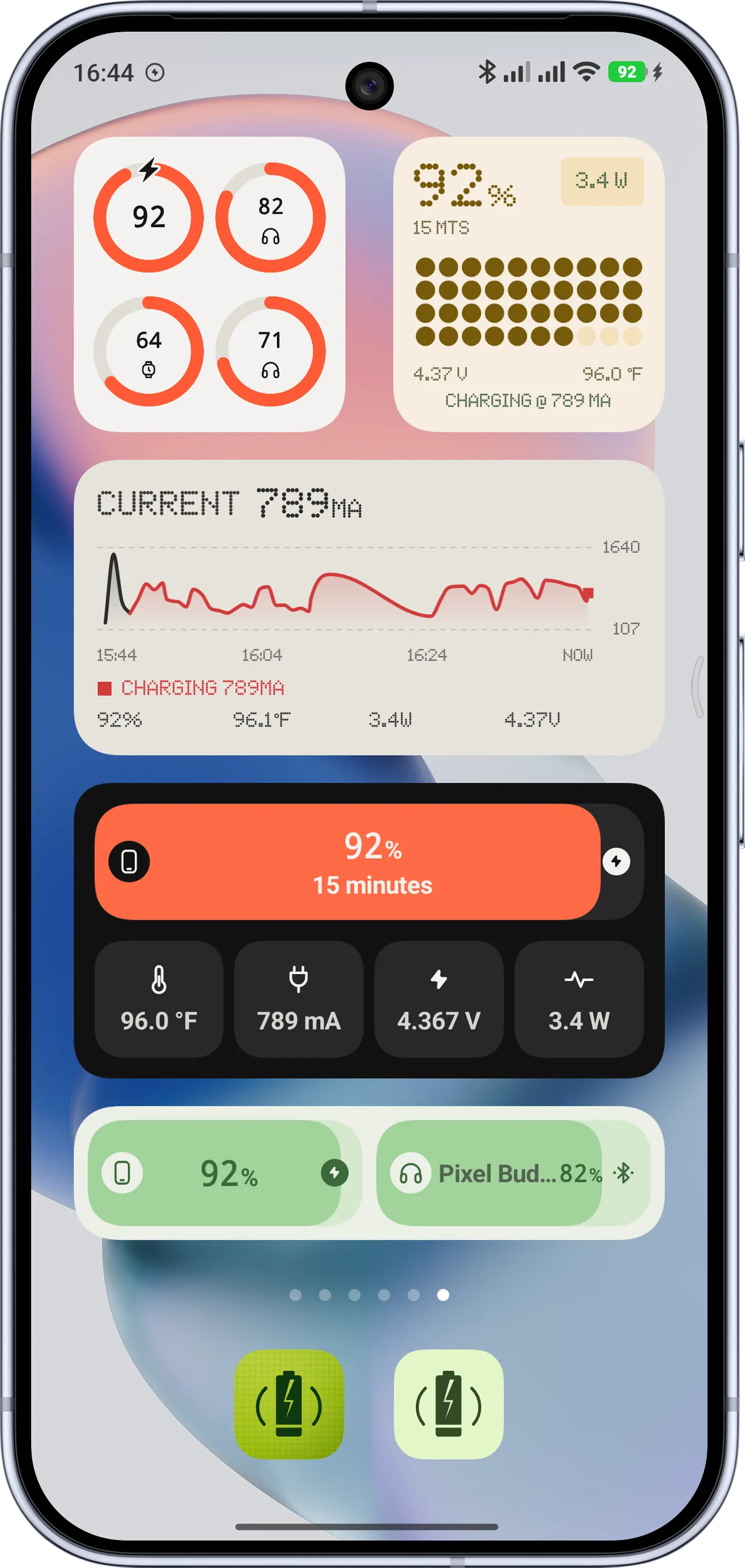
Built directly on Android battery hardware counters with auto-calibrated current polarity, dual-cell support, and 7-day pooled discharge modeling.
Track real-time current (mA), voltage (V), and battery wattage across Normal, Fast, and Turbo phases — including Dual-Cell phone support.
See exact time to 80% and 100% with lithium-ion trickle taper modeling, plus real screen-on and screen-off drain rates (%/h).
Compare Design Capacity vs. Full Charge Capacity, monitor battery wear over time, and override rated capacity if needed.
Set a target level like 80% and see exactly how many wear cycles you save by unplugging before high-voltage stress kicks in.
Review level, current, wattage, and temperature curves over time with automatic charging and discharging session logs.
Monitor battery °C/°F zones alongside live CPU, GPU, and SoC thermal sensors, plus device uptime and deep sleep ratio.
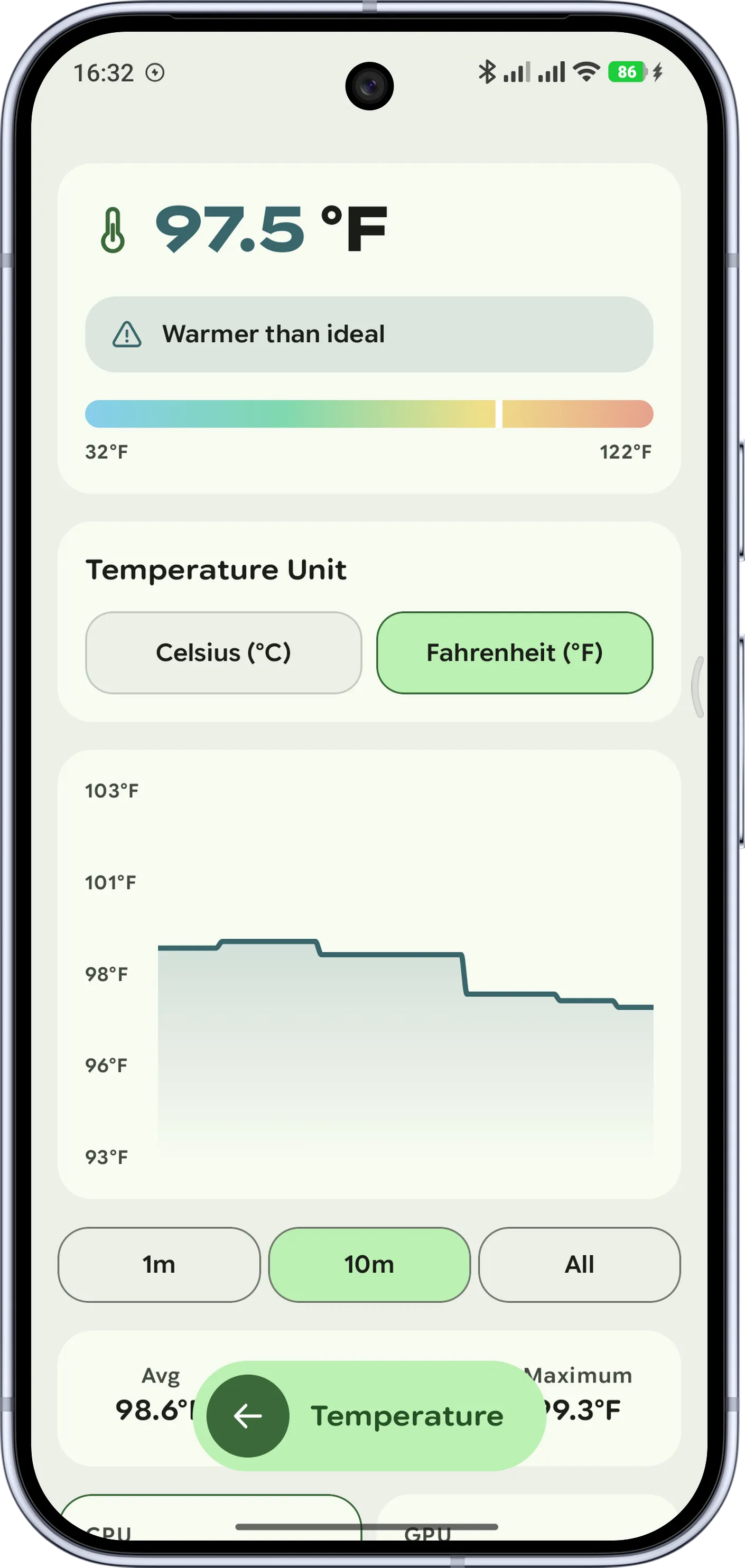
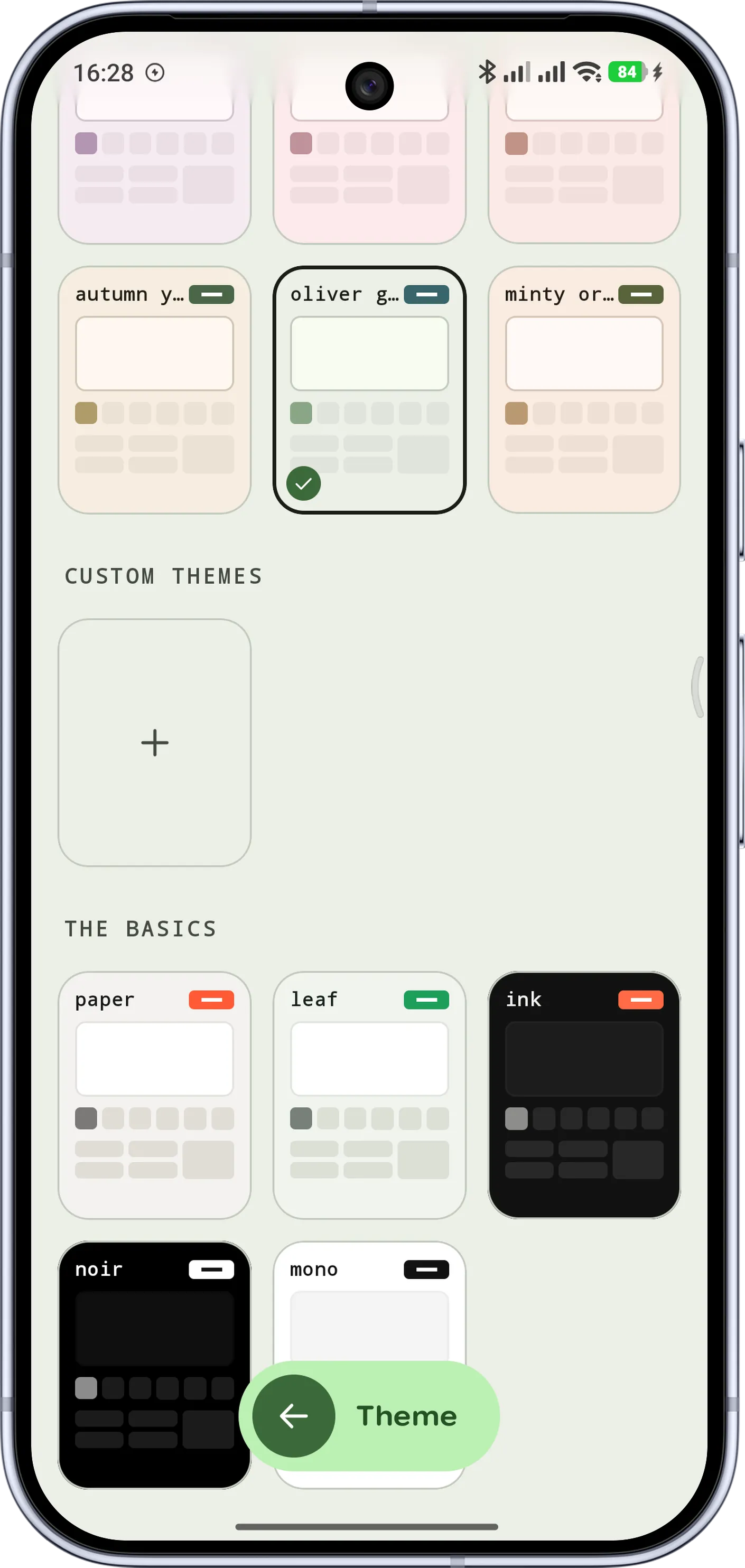
From minimal transparent rings to Ndot pixel stats and live history graphs — every widget syncs seamlessly with Material You or your chosen theme.
Pick Flexible rings or bars (with optional transparent background), Details cards, Styled Bolt & Dots, Square Stats, or Ndot Pixel Stats.
Track earbuds, headphones, and smartwatches right beside your phone battery. Drag and drop to choose which devices appear on each widget.
Pin dedicated 12-hour battery level or 1-hour temperature, current, wattage, and voltage sparkline widgets straight to your home screen.
Adapt automatically to your wallpaper, go full AMOLED pure black, or switch into tactile presets across Clean, Phosphor, and Retro Machines.
Tap a style to preview · Light & Dark
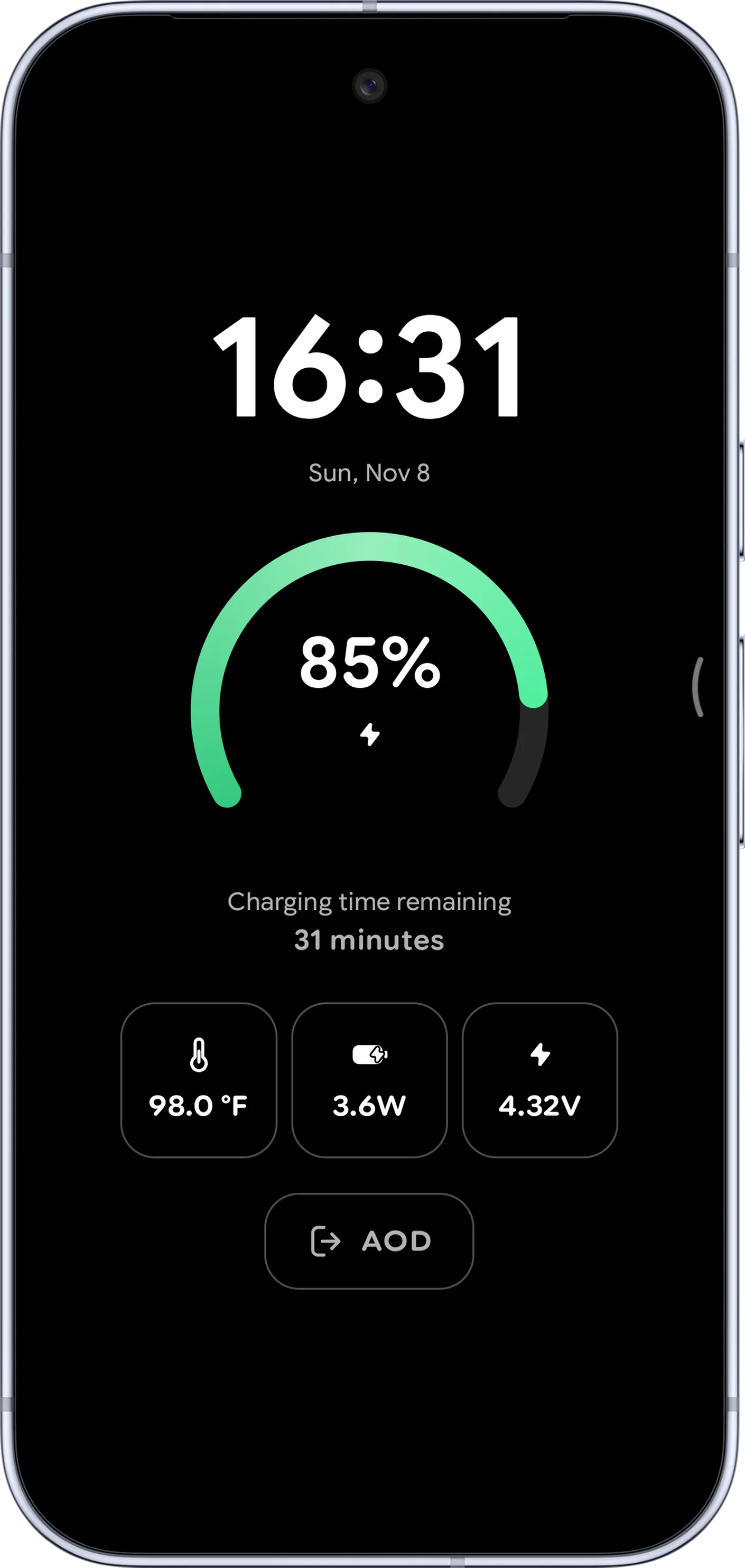
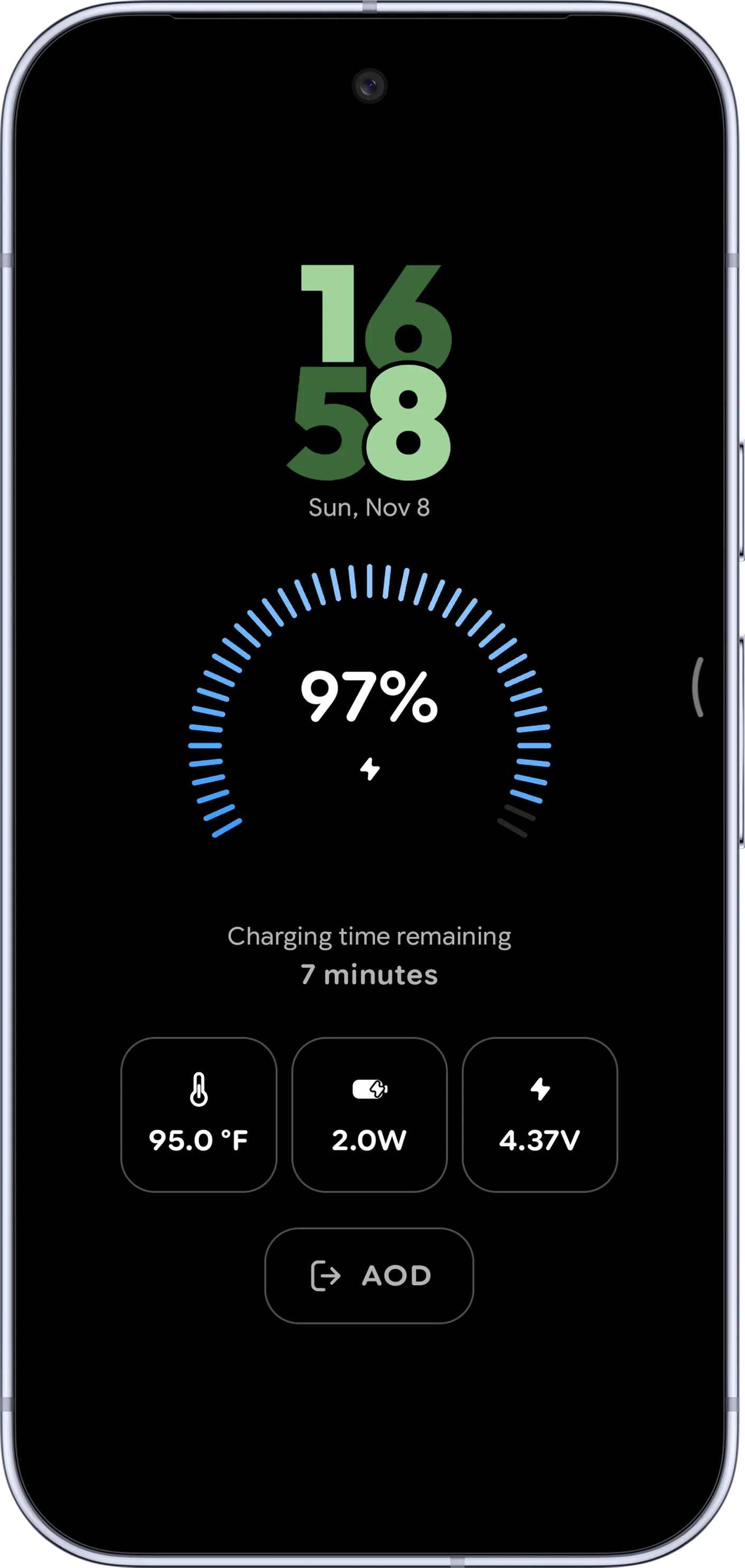
Turn your desk or nightstand phone into an expressive charging display showing time, battery percentage, and live wattage — protected by anti-burn-in pixel shift.
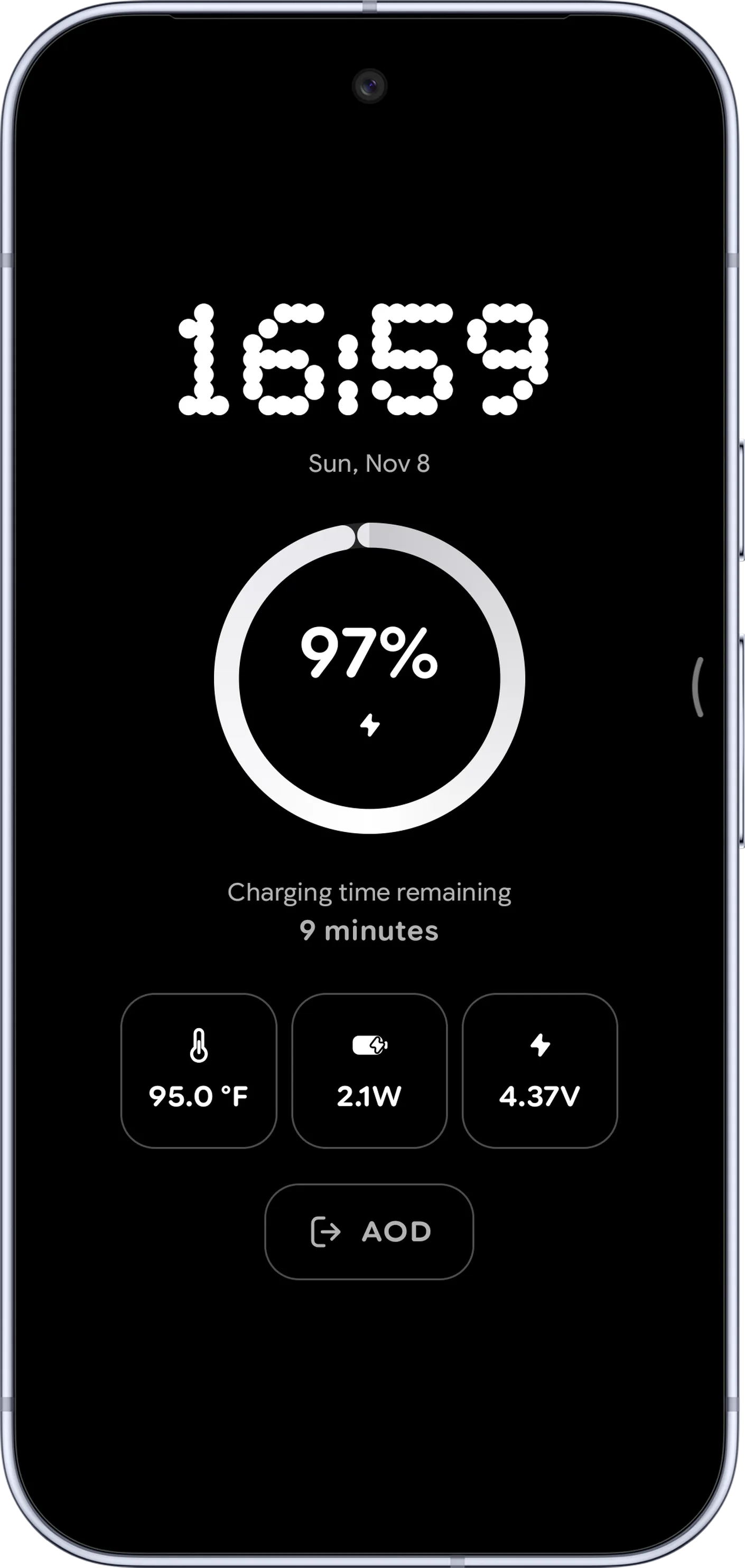
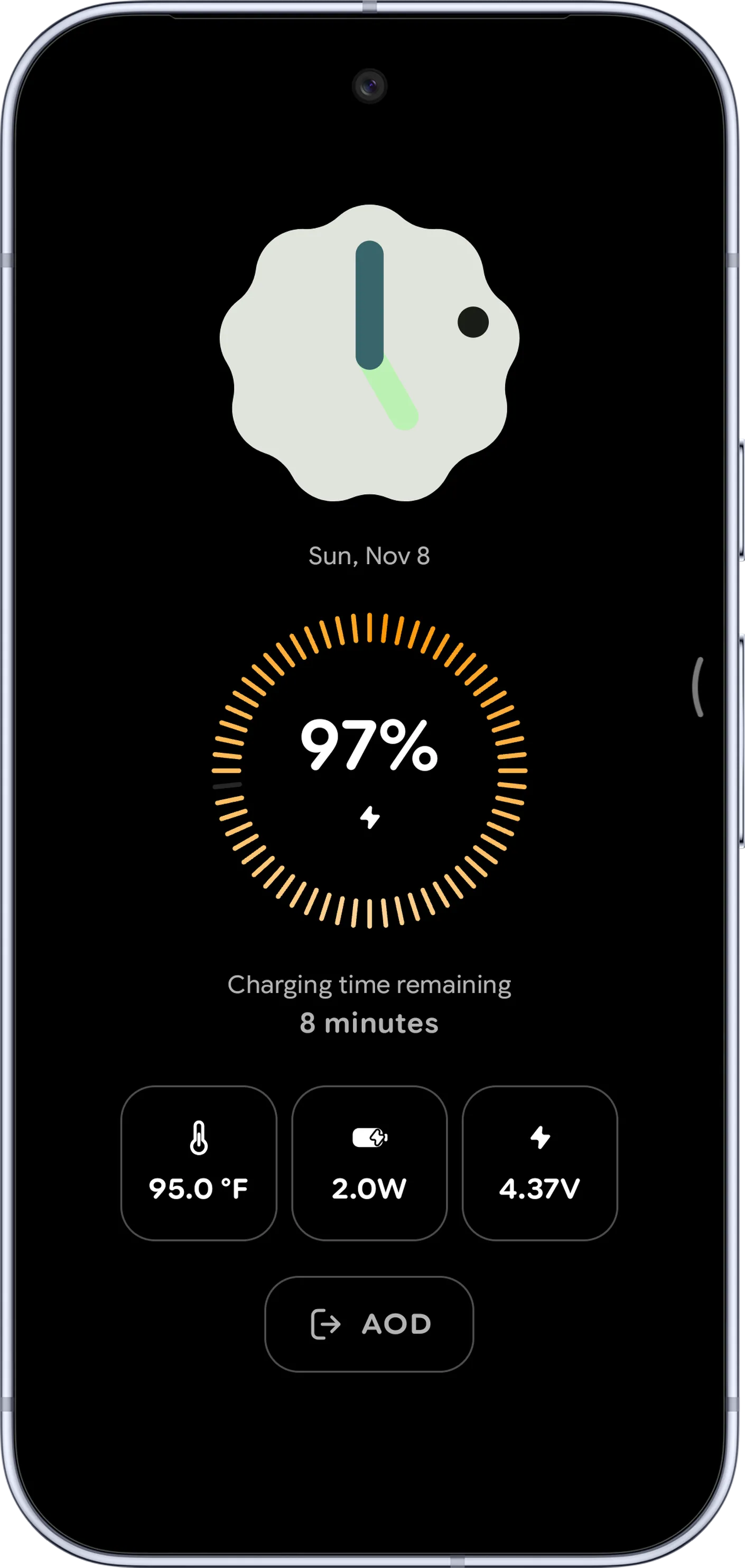
Real reviews from Google Play users who wanted clean Material 3 widgets, accurate battery metrics, and zero ad clutter.
Based on 190+ Google Play ratings
45,000+ Total Installs
“Perfect app. Monitors all battery levels with no ads, no fees, and a stylish UI!”
“This is one of those apps you don't know you need until you actually use it. Props to the dev for the really nice UI!”
“App hay, quản lý pin điện thoại tốt lại không có quảng cáo làm phiền, mọi người dùng thử nha.”
“This is exactly what I was looking for! A like-stock widget that looks good and doesn't have ads or some other complication. It's fantastic, especially for use with Smartspacer.”
“Nice UI, all essential information, and no ads. Great job!”
“Shows the current battery level of my phone and paired Bluetooth devices more compactly than the stock battery widget.”
Use real-time monitoring, battery health, and essential widgets without even creating an account. Upgrade once to unlock everything permanently.
Everything you need for daily battery monitoring — no login required.
Pay once on Google Play and keep Pro across all your Android devices.
Straight from our in-app help center covering purchases, widgets, and hardware battery readings.
Yes. Battery Pro is a Lifetime plan: you pay once on Google Play and keep Pro permanently. There is no subscription, automatic renewal, or recurring charge.
Battery Meter measures battery voltage × current going directly into the battery cell. Part of your charger’s output powers the screen and phone circuitry or dissipates as heat, and fast charging naturally slows down as the battery fills up or warms up. On dual-cell phones, enable Dual Cell Battery in Settings > Battery for accurate pack power.
Some Android manufacturers aggressively restrict background services to save power. Keep Battery Status enabled in Notification & Widget Settings, set the app’s battery usage to Unrestricted (and enable Autostart on Xiaomi/HyperOS), and tap the widget anytime to refresh immediately.
Many non-rooted phones restrict direct OS capacity reads, so the app calculates real full-charge capacity from your charging sessions. Accuracy improves after a few full charges at normal temperature, and you can also override your phone’s rated Design Capacity in Settings > Battery.
Purchases are tied to the Google account used on Google Play, not the hardware device. Install Battery Meter with that same Google account, open the upgrade screen, and tap Restore purchases.
Practical, hardware-backed articles on charging speed, battery wear, dual-cell phones, and Android widgets.
Want to know how degraded your Android battery really is? Learn how Full Charge Capacity, Design Capacity, and Cycle Count work without rooting your phone.
Android OEM battery optimizers often freeze home screen widgets. Follow this step-by-step checklist for HyperOS, MIUI, One UI, and ColorOS to keep widgets updating live.
High voltage near 100% accelerates lithium-ion battery aging. See the science behind 80% charge alarms and how much cycle wear you save every day.
Lightweight, expressive Material 3 design, and 45,000+ downloads on Google Play.
Android 8.0+ · Free to download · No account required